
Read piano music
in color.
Reading sheet music is hard for beginners. ColorCoded makes it visual - so you spend less time decoding and more time playing.
AVAILABLE NOW ON iOS
The solution
See the difference.
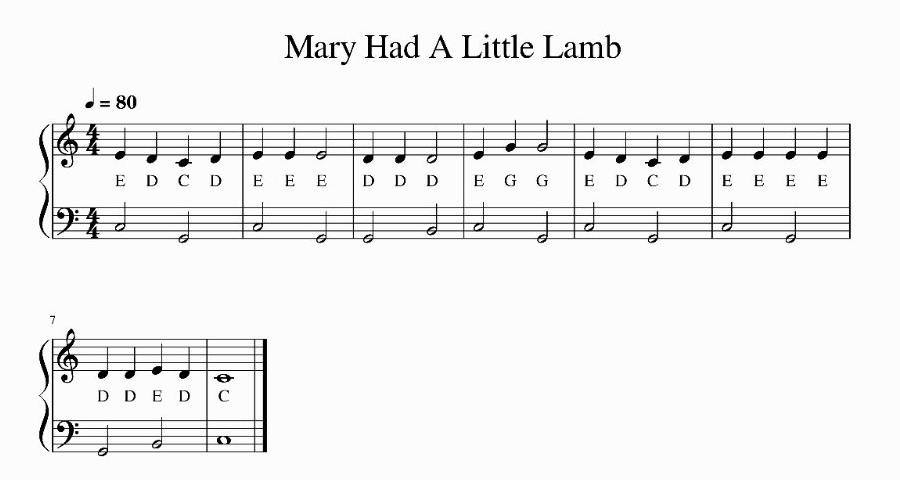
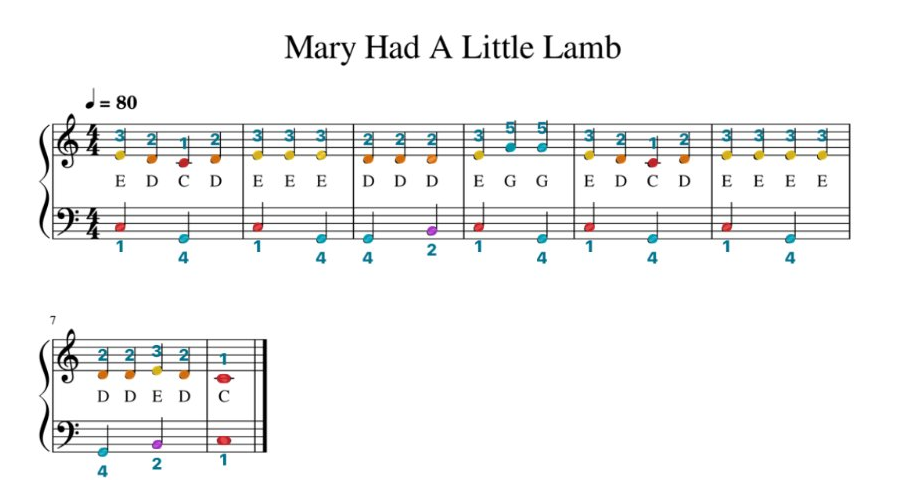
Tap to compare
The system
Seven notes. Seven colors.
One mapping that repeats every octave.
How it works
Scan. Edit. Play. Share.
Four steps from paper to color-coded music.
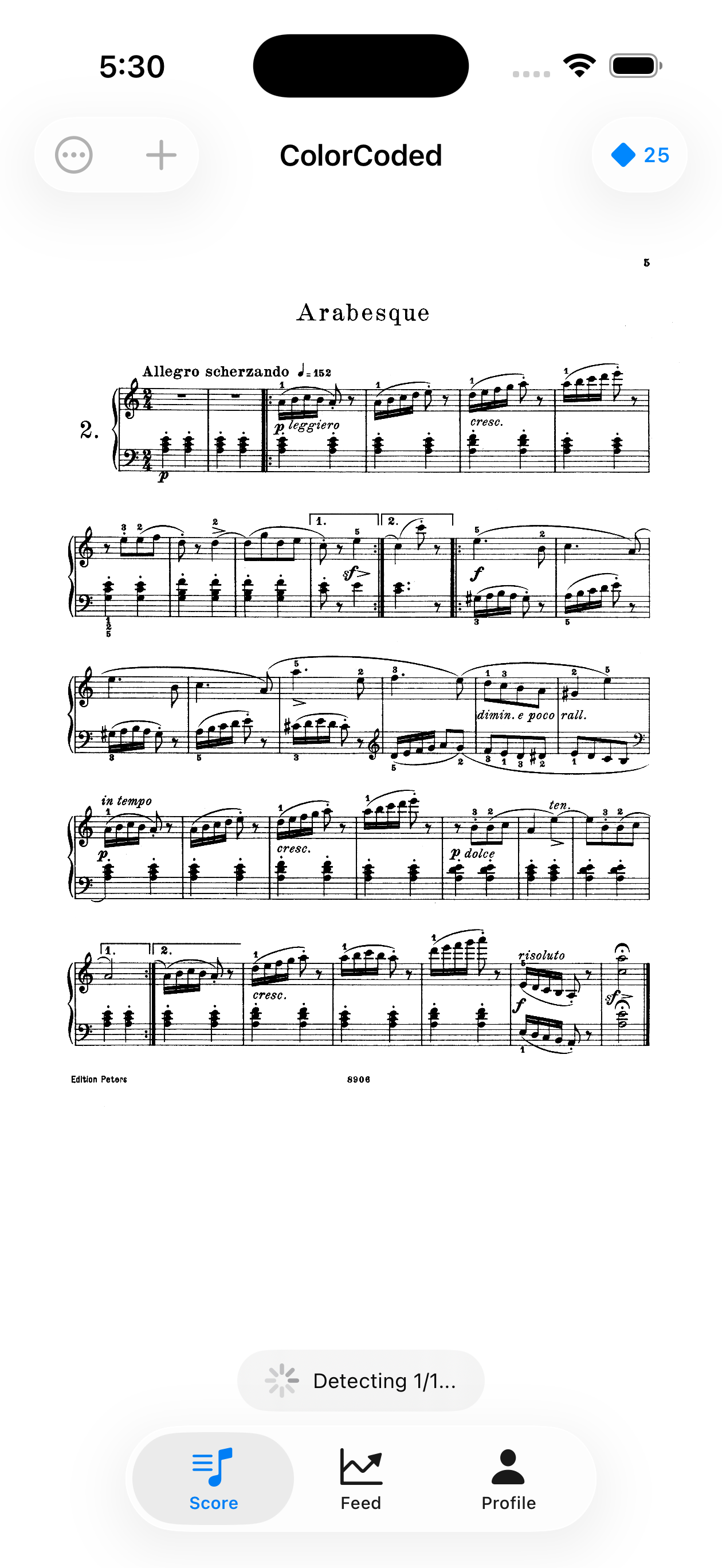
Scan
Upload or photograph sheet music. The app detects notes automatically - but no scanner is perfect.
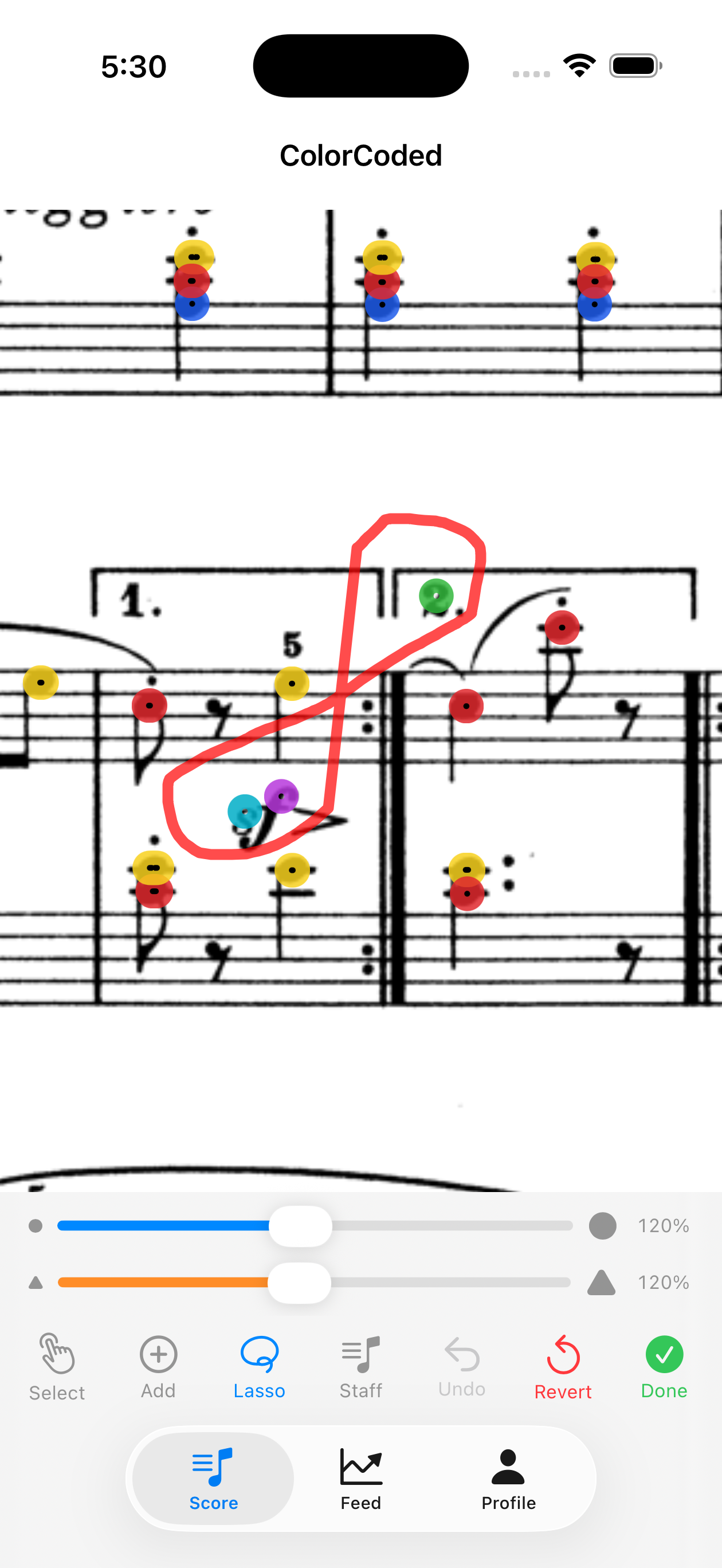
Edit
Select any note to fix, move, or delete. Clean up false detections in a couple taps.
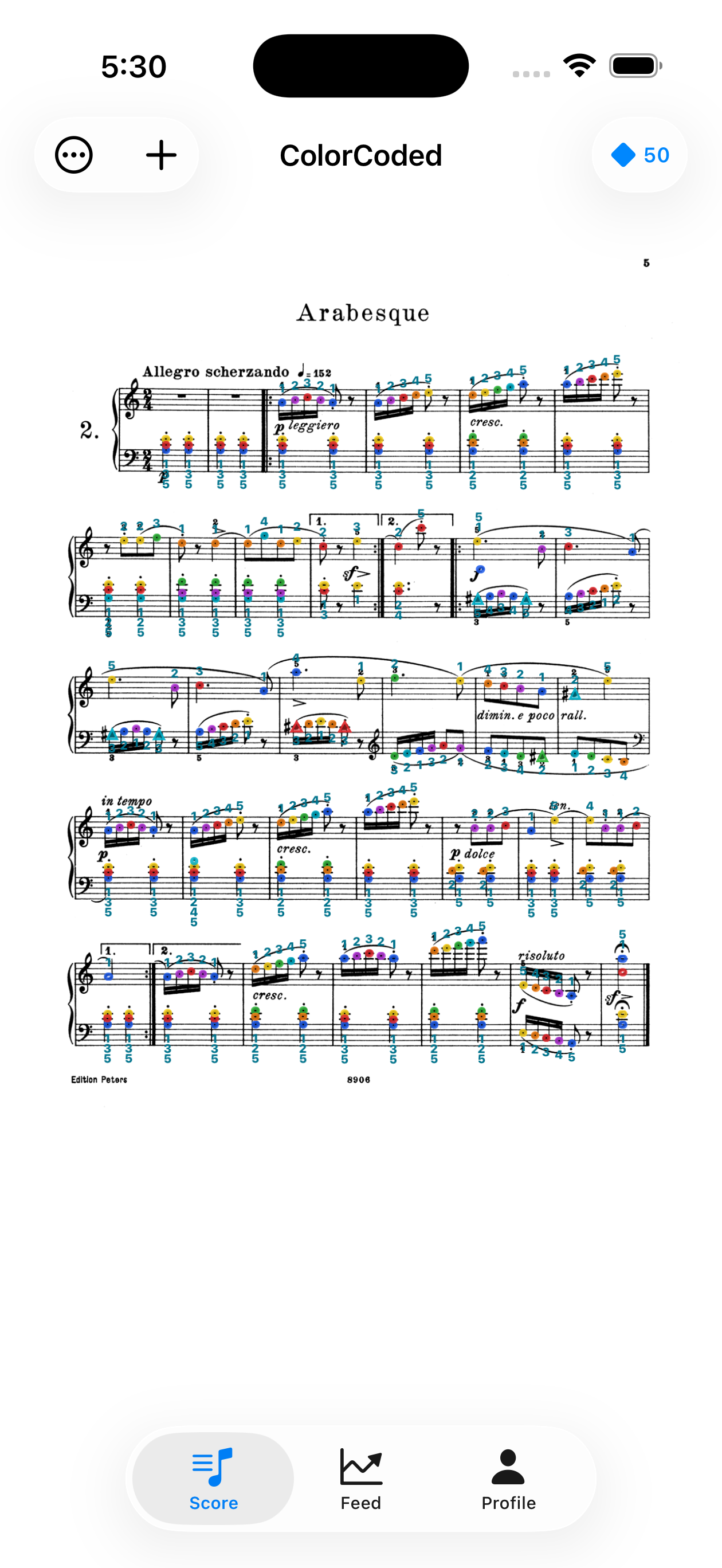
Play
Your score is ready - color-coded noteheads with pitch labels and fingering suggestions.
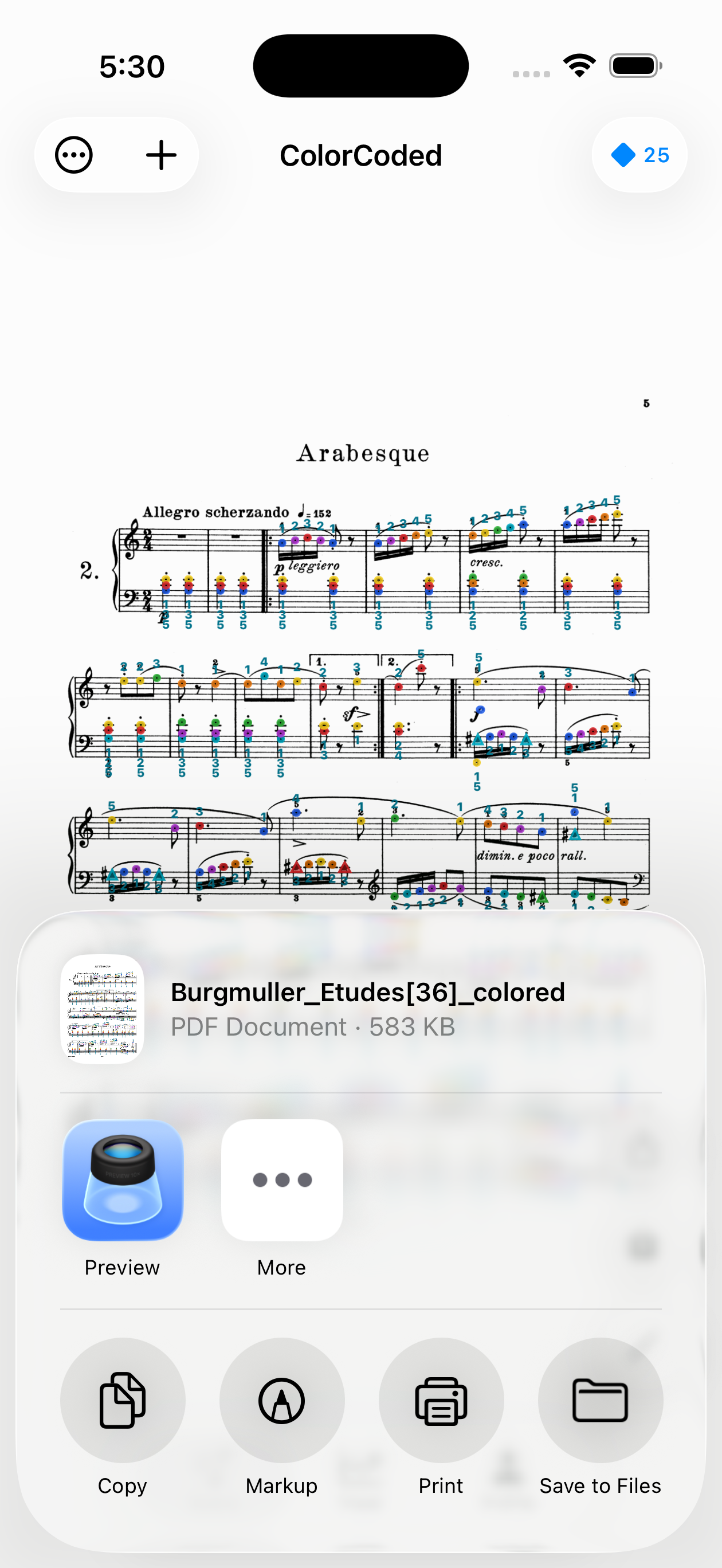
Share
Export as a PDF to print, AirDrop to an iPad, or save to your personal library for later.
Start immediately
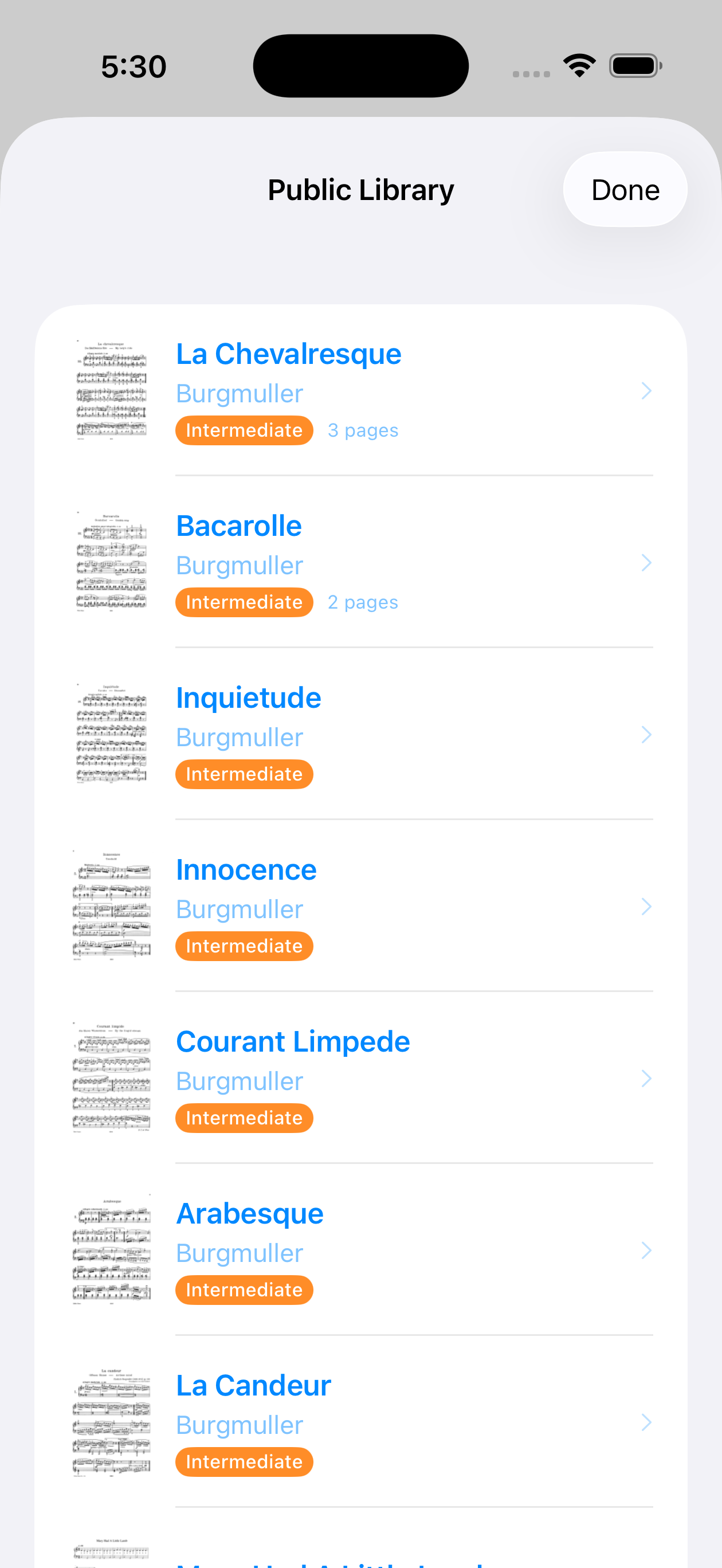
Browse the public library.
Don't have sheet music on hand? No problem. The public library has pre-scanned pieces ready to open - from beginner études to intermediate classics.
Pick a piece, tap, and start reading in color. No scanning required.
Recommended
Bring the colors to your keyboard.
Add colored stickers to your piano keys so the colors on the page match the keys under your fingers.
Rainbow Dot Sticker Sheet
Colorful circle dots on a sheet. Peel, stick, done.
Mini Color Dot Stickers
Compact rainbow columns. Clean layout, easy to peel.
Rainbow Piano Key Stickers
Color-coded key labels with note letters. Made for piano.
Some links may be affiliate links.
Built for
Beginners
Skip the decoding. Start playing sooner.
Visual learners
See the pattern, skip the lookup.
Returning players
Get back into it without starting over.
Teachers
A visual layer for early instruction.
Parents
Help with practice, even if you don't read music.
Self-taught
Stay in flow longer when practicing alone.
FAQ
Beginners love it, but it's also great for returning players and visual learners.
We're working toward a first release now. Sign up above and we'll email you when it's ready.
No. ColorCoded is designed to make reading sheet music more intuitive. The color system helps connect notes on the page to keys on the keyboard, so beginners can start recognizing patterns faster while still learning traditional notation.
No. ColorCoded is meant to support traditional notation, not replace it. The goal is to reduce the initial friction of reading music so learners can focus more on rhythm, expression, and practice.
Yes! ColorCoded is available now on the App Store for iPhone. iPad support is planned.
You can upload photos or PDFs of standard sheet music. ColorCoded detects noteheads and maps them to the color system automatically.
You get 10 free scans per day. If you need more, subscription plans and token packs are available. Core features like editing, the color system, and the public library are always free.
It works well on clean, printed sheet music. Handwritten scores and low-quality photos may need more manual cleanup. That's why the editor exists - you can fix anything the scanner misses.
Yes. You can prop your phone on the piano stand, AirDrop the colored PDF to an iPad, or print it out. Whatever works best for your setup.